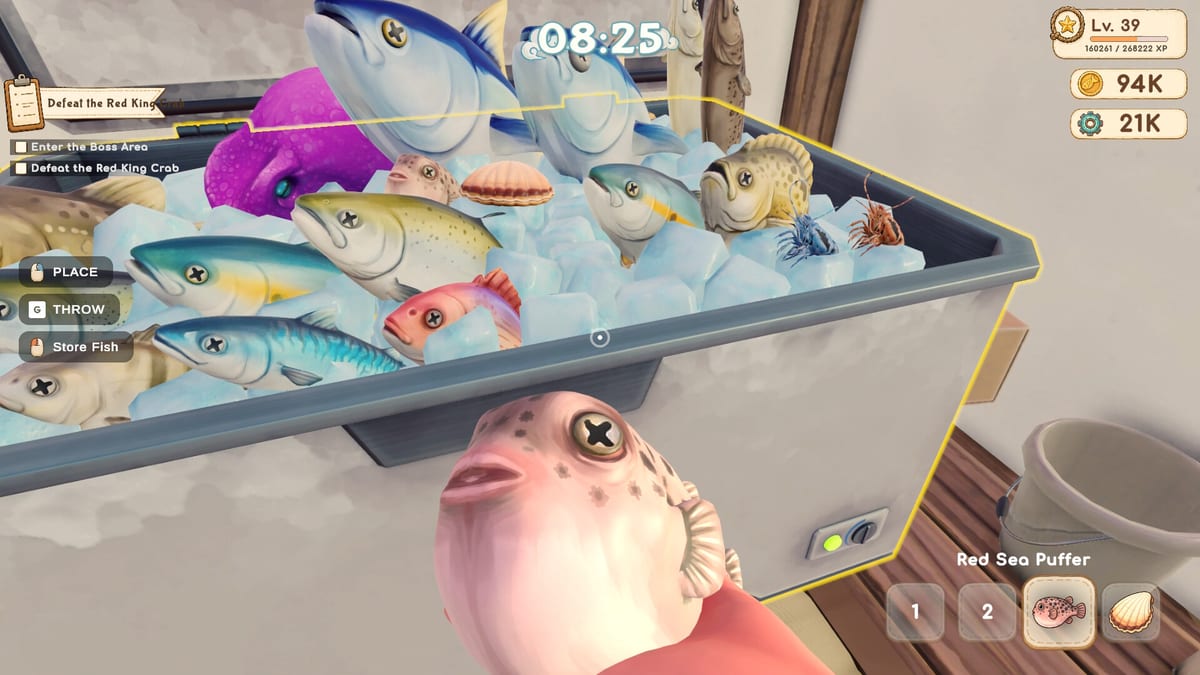
Deep Blue Sushi Controls Guide
Move, aim, slice, and serve without fighting the keyboard.
Deep Blue Sushi is a first-person co-op sim, so the same body has to handle two very different jobs: swimming with a harpoon and working a sushi counter. The control scheme is standard WASD on PC, with mouse look and context prompts for nearly every interaction. This page is the reference you want open on a second monitor during the first night of service.
Movement And Look
On land and underwater, WASD moves your chef and mouse turns the camera. There is no separate “swim up” key in the store description; depth comes from looking where you want to go and holding forward, the same way most modern dive games handle it. Sprint or extra swim speed arrives later through diving fins, not a hidden modifier you have to mash from minute one.
Interact prompts appear when you face a station, fish, table, or tool. If a prompt does not show, you are usually too far away, looking at the wrong collider, or holding an item that blocks the action. Drop or stow the object, then look again.
Diving And Combat Prompts
The Early Access loop asks you to equip diving gear, enter the ocean, and catch fish with harpoons and nets. Treat the harpoon like a projectile: stop swimming for a beat, lead the fish, then throw. Small shallow fish are easier to scoop with a net once you unlock it. Larger or armored animals need the upgraded and deep-sea harpoons described in the Equipment Guide.
Dangerous fauna — sharks, piranhas, squid, electric fish, octopuses — are not decorations. If a creature charges, backpedal toward open water instead of into rocks. Oxygen is the real timer. Surface before the meter empties or you lose the current catch and respawn. That is the same rule as the Getting Started guide; controls will not save a greedy dive.
Kitchen Timing
Sushi is assembled step by step: choose the fish, cut, add rice and extras, then roll or plate. Each step is a short timing window. The game shows visual cues rather than a long keybind list. Watch the highlight, press the interact key when the marker is in the good zone, and do not mash. Rushed plates sell for less and make the next order pile up.
If co-op kitchen chaos starts, one player should own the preparation station and another the serving station. Passing plates is faster than both chefs reaching for the same knife. Details live in Sushi Recipes and Restaurant Management.
Restaurant Floor
Tables, dirty dishes, and customers all use the same interact key. Walk to the table, confirm the order, walk back to the pass, pick up the finished plate, and deliver it before quality drops. Cleaning tools are part of the “bring the right tool” promise on the Steam page: if a spill appears, swap to the cleaning item instead of trying to serve through it.
Settings Worth Opening First
Before a five-player lobby, check:
- Mouse sensitivity so harpoon leads feel consistent
- Fullscreen vs windowed if overlays cause input loss
- Language — the Steam build lists 31 interface languages
- Graphics if restaurant crowds stutter; the Known Issues page covers launch-week reports
There is no official published key-rebinding table as of the August 20, 2026 Early Access launch. If PaperPixel adds a full remap screen, this page will list it. Until then, assume WASD + mouse + one interact key, and practice in the shallows before the first dinner rush.
Related Pages
- Getting Started for the full first-hour loop
- Solo Play if you are covering every role yourself
- Co-op Tips for who should hold which tool
- PC Specs if input lag is actually a frame-rate problem
Frequently Asked Questions
Quick answers to the most common questions.
What are the default movement keys?
WASD moves the chef and the mouse looks around, both on the restaurant floor and underwater. Interact prompts handle fishing, cooking, serving, and cleaning.
Is there a separate swim-up key?
The store materials describe dive movement as looking where you want to go and swimming forward. Extra speed comes from fin upgrades rather than a unique key.
Can I rebind keys in Early Access?
PaperPixel has not published a complete rebind table for the August 2026 build. Check the in-game settings menu on your copy; if remap is missing, use default WASD plus interact.
Why does interact not fire?
You are usually too far from the station, looking slightly off the prompt, or holding another item. Stow the object, step closer, and wait for the prompt.
Do controllers work?
Steam lists the game as a Windows PC title with keyboard and mouse as the documented scheme. Controller support may appear during Early Access; verify in Steam’s controller overlay for your device.